Have you ever wondered how Google Analytics knows whether a visitor came from a Facebook ad, an email newsletter, a QR code, or a Google Ads campaign? The answer is simple: UTM parameters.
UTM parameters are small pieces of text added to the end of a URL that tell analytics platforms exactly where traffic came from. They help marketers measure campaign performance, compare channels, and understand which marketing efforts generate the most clicks, leads, and sales.
What are UTM parameters?
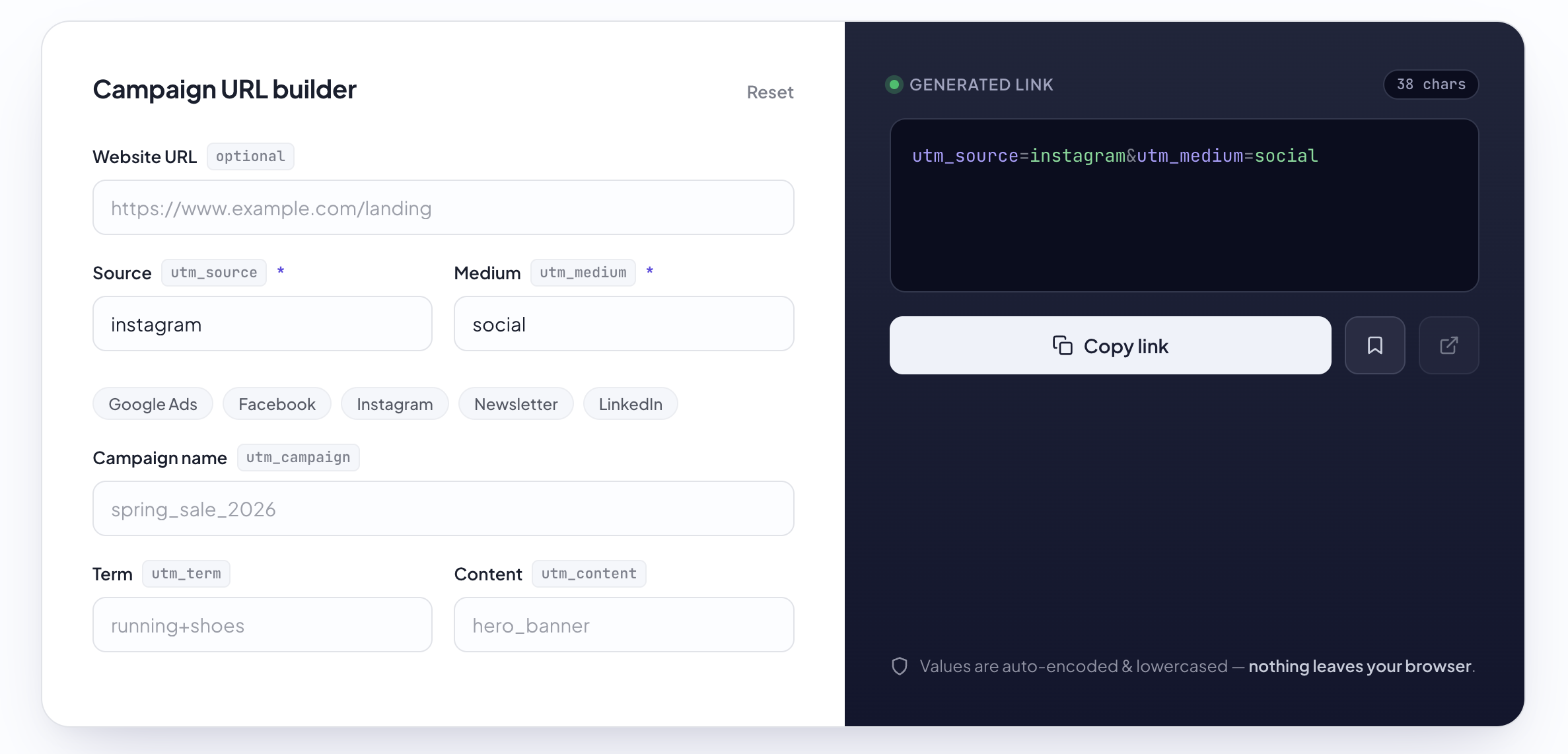
UTM parameters (Urchin Tracking Module parameters) are tags added to URLs to identify the source of website traffic. They don't change the destination page—they simply provide additional information for analytics tools such as Google Analytics 4.
When someone clicks a tagged link, the parameters are sent along with the page request and recorded inside your analytics reports.
https://example.com/pricing?
utm_source=facebook
&utm_medium=cpc
&utm_campaign=summer_sale
Without these parameters, the visit might simply appear as generic referral or direct traffic. With them, you'll know exactly which campaign generated the click.
Why are UTM parameters important?
Marketing happens across dozens of channels. Without consistent tracking, it's almost impossible to know which campaigns are actually delivering results.
- Measure campaign performance.
- Compare marketing channels.
- Track newsletter clicks.
- Analyze paid advertising.
- Measure influencer campaigns.
- Track QR code performance.
- Improve marketing ROI.
The five standard UTM parameters
Google Analytics recognizes five standard parameters.
utm_source
Identifies where the visitor came from.
utm_source=facebook
utm_source=newsletter
utm_source=linkedin
utm_source=google
utm_medium
Describes the marketing channel.
utm_medium=email
utm_medium=cpc
utm_medium=social
utm_medium=referral
utm_campaign
Identifies the specific campaign.
utm_campaign=summer_sale
utm_campaign=product_launch
utm_campaign=black_friday
utm_content
Used to distinguish multiple versions of the same advertisement or link.
utm_content=blue_button
utm_content=header_banner
utm_term
Originally created for tracking paid search keywords but still useful for organizing campaigns.
How UTM parameters work
The process is surprisingly simple.
- Create a destination URL.
- Add UTM parameters.
- Share the link.
- A visitor clicks it.
- Google Analytics records the parameters.
- You analyze the results.
Example
https://bestutm.com?

utm_source=linkedin

&utm_medium=social

&utm_campaign=product_launch

&utm_content=carousel_ad
Later in Google Analytics you'll immediately know:
- The visitor came from LinkedIn.
- It was a social campaign.
- The campaign was Product Launch.
- The carousel ad generated the click.
Common mistakes
- Mixing uppercase and lowercase values.
- Using spaces instead of underscores or hyphens.
- Changing campaign names halfway through a campaign.
- Using different spellings for the same platform.
- Adding UTM parameters to internal website links.
Following a consistent naming convention keeps your analytics reports clean and easy to understand.
Best practices
- Always use lowercase.
- Create naming conventions before launching campaigns.
- Keep parameter values short and descriptive.
- Document your conventions for the entire team.
- Generate links with a dedicated UTM Builder instead of typing them manually.
Frequently Asked Questions
Do UTM parameters affect SEO?
No. Search engines understand UTM parameters and they do not negatively impact rankings when used correctly.
Can I use UTM parameters with Google Analytics 4?
Yes. GA4 fully supports standard UTM parameters.
Should I add UTM tags to internal links?
No. UTM parameters should only be used for incoming traffic from external marketing channels.
Do I need all five parameters?
No. Most campaigns only require source, medium, and campaign.
UTM parameters are one of the simplest yet most powerful tools available to marketers. With just a few extra characters added to your URLs, you gain valuable insights into where your traffic comes from and which campaigns truly drive results.
Instead of creating tracking URLs manually, use a dedicated UTM Builder to generate clean, consistent campaign links in seconds.
Back to all articles